So You’re Leaving the Booth
 It happens, even in the time of covid, we leave our studios. As a professional voice talent, we have work we can predict, and the joy of work we cannot predict, that comes in at a moment’s notice and can have a pretty tight turn around time. As a working mom, whether I’m home or traveling I’m always juggling my responsibilities as a small business owner and my role of a mom, this year more than ever. This year, my high school juniors are looking at colleges. And as if looking at colleges for twins is not challenging enough, their interests do not overlap at all. Emma is targeting schools with Speech programs and STEM programs. Jack is looking for International Relations and Russian. So, we are doing two completely different college searches at once. What does this mean for me as a voice actor? It means I’m leaving the booth for the first time in a year and I need to be prepared. Voice over work should never prevent travel, it just means you need the right set up for your voice over travel rig and to take the necessary steps when planning.
What’s in The Travel Rig
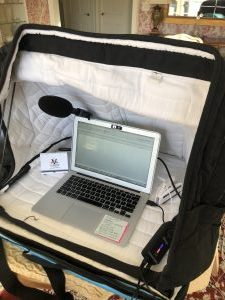 The point of the travel rig is to sound like you sound in your home studio when you are on the road so that you can provide clients with a continuity of service. I have tweaked my rig quite a few times over the years, and finally invested in a quality set up that I am pleased with. I now bring:
- A VoMo booth to go
- A Sennheiser MKE 660 microphone
- Sennheiser headphones
- An AUD Appollo MK II Preamp
- A MacBook Air with Twisted Wave
The reason this set up works, is that an effects stack works was created that gives the same sound to the finished audio of that recorded in my booth. It is quite remarkable.
If you are still in the pillow fort phase, here is a video that might be helpful from when I was using pillow forts as well:
To Bring Or Not To Bring
Now that I have this amazing set up, does this mean that I never take off or that I bring the travel rig everywhere? No. For instance, this weekend I am away Friday night through Sunday. I left the rig at home. I did have one booking come in from an international client. I asked if they could please wait until Monday and that worked out, but if not I was willing to let the gig go. Sometimes you just need a break. Typically, I evaluate what I’ll be doing, how much free time I’ll have, and how much I typically earn that time of year. For example, the last four years in a row July has been my highest earning month of the year. If I go anywhere in July, the travel rig is coming with me. June, in contrast is a slower month. It might be safer to travel without it or to plan travel for that month. Tracking your trends in a CRM can be helpful for you to make such calls. Ultimately, we are all entitled to a break, but you have to weigh how disruptive it will be to your long term success. If your client hires another talents, and then that talents gets then ongoing work instead of you, can you live with that?
Professional Procedures to Take
Ultimately the point of the travel rig is to serve your clients well. If you know travel is coming up, and you are starting a project that might have pickups or script changes you should let the client know. You might also discuss with them the option of recording on your travel rig from home so that the audio matches. If you will have limits to your availability while on the road, it is great to give your regular clients a heads up. If they are used to a speedy turn around and you will have a delay, they’ll appreciate the notice. If you send out a newsletter, the newsletter is a great place to let clients know when you’ll be out of the studio. If you are on regular rosters that send you work, they appreciate the advance notice as well. Typically two weeks notice before travel is standard, and that way clients have the chance to decide of they want to work around your dates and you can decide whether or not you need your rig!
Last Thoughts
Ultimately, there are a lot of ways to get great sound on the road, from pillow forts made out of comforters to tiny mics that plug into your phone. It makes sense to decide what your goals are: ranging from auditions to booked work to pickups, and then determine what gear best meets your needs.

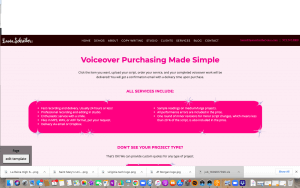
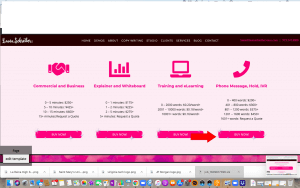

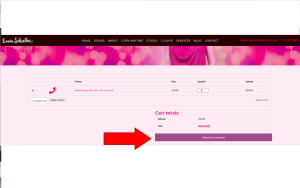
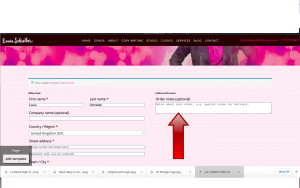
 It’s 2021. We’re still in a pandemic. We need what we need quickly. Laura gets it and she wants you to have perfect audio without a fuss at the click of your mouse. Let Laura know how she can help you!
 As a working mom, I try to only work on weekends under specific scenarios: if booked work comes in that the client specifically needs over the weekend, if I get a direct audition for the weekend, or if it is something like my blog which I generally do while my kids are asleep. Otherwise, the weekend is cherished family time. So, if a client tells me they need something over the weekend, I am generally pretty sympathetic that they have someone on the other side who needs something and has a deadline. It happens that both last weekend and this weekend I had bookings come in over the weekends. While I was delighted about both bookings, the one this weekend was much more pleasant. I think the two bookings lend themselves very well to case studies on what makes an ideal voice over client to work with and what makes a client a little more challenging.
 Earlier in the month a client I have worked with before reached out to me with a small budget for a local TV and Media campaign. After a lot of back and forth, we came to a price we could both live with. It took quite a while for the scripts to come in. Of course I finally heard from them Friday evening. I confirmed receipt of the script and asked Client A if Monday by midday was okay and they said it was needed over the weekend. Normally I would add either a “RUSH” fee or a weekend fee, but we had negotiated and the budget was low so I could not do that here. The other snag was that the client only sent one script. We had negotiated a bulk rate assuming that I was recording at once, and sending everything piecemeal was not a great start.
 There are a lot of things that will make 2020 memorable for the rest of our lives: living through a pandemic, the national election, the state of our country in general. As a long-time professional voice over actor, one of the trends I have noticed in the past few months as bookings have picked up again is that so many of them involve live sessions also referred to as guided sessions. Prior to Covid-19, I would say that I self directed 80% of my work, and the rest were live sessions. Now I have live sessions almost daily. Interestingly most of my clients prefer zoom, although often I am asked if I have Source Connect and specifically which version I have. I do happen to have the highly sought after standard version, but interestingly that is not what is most often requested by my average client when they want or need a guided sessions. How do I feel about this rise in live sessions? I love them!
 The major trend I have noticed is how many participants are in on the call. It used to just be one or two except when I was doing video games or mobile apps, then I typically had more. Recently, on almost all of my sessions except for a tv spot last week that was just one producer, there are huge teams of 7 or 8. They seem to like to bring on everyone from the person who cast me to the person who wrote the script to the folks from the brand to the creatives putting the content together. The teams are big. And what seems to happen now is that one person will give directions. Then they will tweak the directions. Then when they are satisfied they will ask for feedback from everyone else on the team. This can go on an on and it can be very amazing, depending on how patient you are. As I have been fortunate to have a lot of well-written scripts, it is typically easy to provide alternative reads, but that is not always the case. Most of the time the teams are on the same page and most of the people keep themselves on mute. I have been on a few calls where someone forgets to mute themselves and we have some issues later.
 As I mentioned earlier, a lot of my clients ultimately ask for zoom even though I have Source Connect. I actually think this is related to the trend of included everyone in the live session. It is much easier to loop everyone in via zoom, when with Source Connect only the ones with the subscription can join.
 One quick note, as the voiceover industry is typically quite an international one, do mind your time zone conversions! It can be trickier than it seems! Years ago I had a session with a client in the South of France. I was coming back from the beach myself, and little did I realize I asked them to record at 10 PM their time. I felt terrible. More recently I had a new client in Mountain Time! I was so confused by this. I don’t know why, but it twisted my head in a pretzel. So, especially if you have multiple bookings in one day, try not to overlap them! The zoom calendar is super helpful that way!
 I will start by saying that the past five years have flown by and while I have had to seek help with my studio gear, my MacBook Air has been dependable in every way since its purchase. I have not had issues with my computer. I have been extremely happy since switching from a PC to a Mac, and have been extremely happy with the MacBook Air specifically. So, why switch? Well, as per my blog last week, I made a lot of gear upgrades in my studio recently. The early 2015 MacBook Air I have only has one Thunderbolt B port and NO, as an not a single one, Thunderbolt C ports, and it was not possible to have both my pre-amp and my studio monitor hooked up simultaneously, while both are essential. So, I made the choice to upgrade.
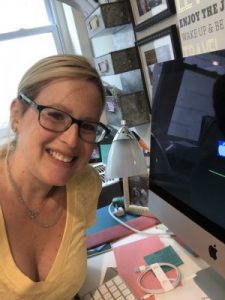 The set up went well. It took me most of the day. It arrived around 10:30 am and by dinner I was up and running, and the timing was pretty good. Coming the Friday of a holiday weekend is ideal as the bookings I have for live sessions will not be until next week anyway. I had heard some horror stories of industry friends recently setting up new computers, so I was not optimistic or overly enthusiastic and I expected it to take a while. The initial backup from iCloud went ok. Then I had to install my UAD software. Since I had just done this with Tim last week on the laptop, I still remembered how and it was not fast but I was able to do it. I was worried about getting my settings onto the iMac, but I was actually able to use airdrop to move them from one computer to the other. Twisted Wave setup was a little tricker for me. I spent a while putting in my many keyboard shortcuts. I could not figure out why my effects stack would not open in its entirety. I realized I had to find my initial izotope purchase, download that, enter the ilok, and then open the effects stack. I was getting a little nervous that I would need a session with Tim, but to my own surprise I was able to get it going! I am happy to report that the monitor in my booth connected with ease and I am so thankful to have my booth in working order. I am still making tweaks like syncing my drop box and connecting my pay to plays in my chrome short cuts, but for the most part it is set up how I want it!
 Rome was not built in a day, and I am sure that in the coming days and weeks I will realize other applications that need to be installed on the iMac. I am thankful, though, that I accomplished as mush as I did at the start. My plan is that the desktop will live in my office space and my MacBook Air will now reside upstairs and will also be dedicated to my travel rig. It has only been since Friday, 48 hours, but so far this seems like a really wonderful upgrade. Ultimately, this isn’t about just changing computers, right. I had a setup that was working until it wasn’t. I made a change. I used to really fear change, but I know know (more than understand, actually know) that change makes me better and presents opportunity.
 When everything is working perfectly in your booth, your bookings are solid, and you are happy with your sound, why shake things up with a gear upgrade? Well, life is not always so cut and dry in the voice over world. While I was really proud when I upgraded to the Avalon M5 preamp, and loved the way it sounds with my Neumann TLM 103 microphone, it is not portable. I’m at a point in my career where if I travel, which happens when there is not a pandemic, I need to sound the way I sound in my booth when in my travel rig. With an Avalon preamp and a Neumann mic, I sound pretty awesome. Even with a VOMO, it is hard to emulate that sound without bringing the Avalon, and if you have ever been in the presence of an Avalon then you know it is not portable. Thus, my journey began.
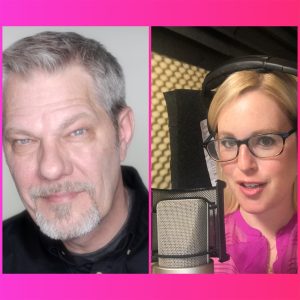 One of my VO besties, and all around favorite people on the planet, the amazing Kim Handysides, suggested that I work with the VO Tech Guru Tim Tippets. Kim said Tim does amazing stacks and would set up my travel rig. Initially I had not planned to change my in studio set up with the Avalon M5, just the rig. I reached out to Tim. Tim is amazing because he could just set you up and give you the answer, but instead he spends the time to educate you so that you understand the rationale behind his suggestions and why he is guiding you down a certain path.
 To Start, I was limited because I was working on a 2015 MacBook Air. Even though my MacBook Air is running really well (knock wood), it only has one Thunderbolt 2 connection and the rest are USB ports. This posed some logistical challenges in terms of suggestions Tim wanted to make. Further, at the time, I was set up to mirror in studio on a monitor. So my MacBook Air stays in an office space outside the studio and I have a great monitor in my booth.
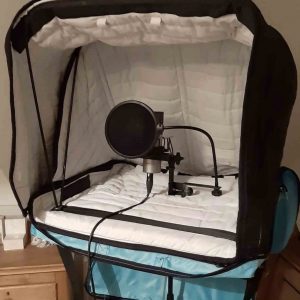 So this brings us back to the travel rig set up, which is also pretty exciting. After all, this entire journey started because of the travel rig, right? So, what is my travel rig set up now:

