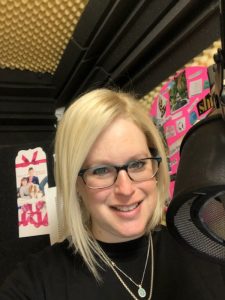
laura@volaura.com

973.747.6800

  • Home
  • Demos
    • Demos
    • YouTube Bumper Demo
    • Commercial
    • Covid Response And Emergency Management
    • Radio Imaging
    • TV Affiliate
    • Narration
    • Audiobooks
    • Tours
    • Character
    • Kids Voices
    • Baby Voices
    • Promo
    • eLearning
    • Explainer
    • Telephony
    • Government
    • Medical Narration
    • French Commercial
    • Podcast
    • On Camera
  • Copy Writing
  • Studio
  • Clients
    • Testimonials
    • Awards
  • Blog
  • Contact

studio

A New Computer for My Studio: My iMac DeskTop

July 5, 2020 by Laura Schreiber

Why The Change was Necessary

I will start by saying that the past five years have flown by and while I have had to seek help with my studio gear, my MacBook Air has been dependable in every way since its purchase. I have not had issues with my computer. I have been extremely happy since switching from a PC to a Mac, and have been extremely happy with the MacBook Air specifically. So, why switch? Well, as per my blog last week, I made a lot of gear upgrades in my studio recently. The early 2015 MacBook Air I have only has one Thunderbolt B port and NO, as an not a single one, Thunderbolt C ports, and it was not possible to have both my pre-amp and my studio monitor hooked up simultaneously, while both are essential. So, I made the choice to upgrade.

Why Did I Pick the iMac?

To be clear, my MacBook Air is still running fine. It completely functions and has not changed in any way, it is just missing some essential ports. This is sad. So, when looking at apple offerings, I decided that since I have a working laptop, I could focus on a great desktop. In truth, I have always wanted one. In the pre-pandemic world, when I could actually enter a store and look around, I always thought it would be great to work at a desk top. I decided this time the desktop made sense. The iMac had the right requirements in terms of storage and speed. I got a track pad and the 21.5 inch screen. All I had to do was wait about 10 days for the iMac to ship from Shanghai to New Jersey!

The SetUp-How did it Go?
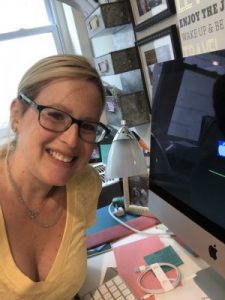
The set up went well. It took me most of the day. It arrived around 10:30 am and by dinner I was up and running, and the timing was pretty good. Coming the Friday of a holiday weekend is ideal as the bookings I have for live sessions will not be until next week anyway. I had heard some horror stories of industry friends recently setting up new computers, so I was not optimistic or overly enthusiastic and I expected it to take a while. The initial backup from iCloud went ok. Then I had to install my UAD software. Since I had just done this with Tim last week on the laptop, I still remembered how and it was not fast but I was able to do it. I was worried about getting my settings onto the iMac, but I was actually able to use airdrop to move them from one computer to the other. Twisted Wave setup was a little tricker for me. I spent a while putting in my many keyboard shortcuts. I could not figure out why my effects stack would not open in its entirety. I realized I had to find my initial izotope purchase, download that, enter the ilok, and then open the effects stack. I was getting a little nervous that I would need a session with Tim, but to my own surprise I was able to get it going! I am happy to report that the monitor in my booth connected with ease and I am so thankful to have my booth in working order. I am still making tweaks like syncing my drop box and connecting my pay to plays in my chrome short cuts, but for the most part it is set up how I want it!

What Is Still Missing- Source Connect

I was successfully able to download and install the software for Source Connect. I use the Pro version 3.9 and thankfully I pay for support, so there is no crisis, I just wish I had it up and running. The hiccup for me is repointing the location from the MacBook Air to the iMac. I am also curious if I can run Source Connect on both computers or not. I set up the soonest support session I could, which will be this coming Tuesday at 5:30, and all my questions will be answered. This also made me realize that I had to get zoom up and running, so thankfully that is now set up on my iMac as well.

Thoughts and Plan- Upstairs/Downstairs

Rome was not built in a day, and I am sure that in the coming days and weeks I will realize other applications that need to be installed on the iMac. I am thankful, though, that I accomplished as mush as I did at the start. My plan is that the desktop will live in my office space and my MacBook Air will now reside upstairs and will also be dedicated to my travel rig. It has only been since Friday, 48 hours, but so far this seems like a really wonderful upgrade. Ultimately, this isn’t about just changing computers, right. I had a setup that was working until it wasn’t. I made a change. I used to really fear change, but I know know (more than understand, actually know) that change makes me better and presents opportunity.
Filed Under: About Me, Studio/booth Tagged With: Apollo Twin, apple, effects stack, gear, ilok, iMac desktop, izotope, live sessions, MacBook Air, rx, Source Connect, studio, travel rig, twisted Wave, upgrade, voice over, voiceover, Zoom

When A Voice Over Actor Goes On-Camera

December 1, 2019 by Laura Schreiber

Say Cheese- Leaving the Booth for a New Opportunity

Over the years I have seen postings of other voice over actors including Tracy Lindley, Jas Patrick, Kim Handysides, Sofia Cruz and many others going to on-camera gigs and I was intrigued. I LOVE doing voice over and being behind the microphone, but as a working creative I could understand how there are a lot of over-lapping skills and I always wanted to give it a try. I had been offered a life-style modeling contract years ago, but it would have taken me out of the booth too much, and as a working mom my entire business was built around wanting to be here for my family. But, the occasional on-camera gig seems like the right fit now.

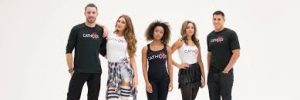
When my Denver based agent Leenda Nicole, of CatheXis, and I started talking about both on-camera opportunities and modeling opportunities that suit my career now, everything fell into place. This week I got to film my first on-camera spot, an agency promo for CatheXis, and it was great!

Rounding Up

You know how this time of year when you go to pay for something at a store and they ask you if you want to round up to support a charity? That’s what it’s like to work with Leenda, she rounds up: she asks for the best of people, her talents and clients alike, at precisely the right moment, and brings out the best in everyone. Any CatheXis talent will tell you that having Leenda as your agent is wonderful. I am fortunate that as a full-time professional I have regional representation around the United States and abroad, but CatheXis is different for several reasons. First, whether you are a voiceover actor, model, singer, or dancer, Leenda represents talent that she believes in. We all feel this way. She then creates a network where talent mentors other talent and we are all involved in the community. Volunteer work is a fundamental value of the agency. It is in this wonderful environment that my first on-camera opportunity came about.

All in the Family- Working with my Cousin and his Team

Here I am with the creative team! On top I’m with Chris, Adam, and my cousin David. On the bottom left it’s me and David in front of the green screen. On the bottom right it’s me and David when I was in college and he was about 8. I won’t say how long ago that was!

Leenda wanted to be able to pitch me as a team, not just as an on-camera actor, but also for my copy writing too. When Leenda asked about a talented video production crew that I work with, I was thrilled to recommend my cousin, Dave Scott of All Systems Go AV, in Bensalem, PA. Dave, or David, as the family calls him, and I grew up together in Philly and we have always been really close. My sister and I fuss over him as we didn’t have a little brother. When I told Leenda about David, I said that while he may be my cousin, his work is outstanding and he has an extensive background with years of training and experience. He was even the sound guy for the Pope last year! David does audio for tons of live events, including working with Steve Martin and Martin Short, and their video production, a new endeavor relative to the live event work, has produced impressive results. So, when Leenda cast us on the project together, nothing was more exciting for me! Working with my “little” cousin and his team was a dream come true in every way.

David works with two other guys in their huge facility, Chris and Adam. They are all pros and have all been at it for a long time. On the day of the shoot, I went down to their location to film since they have a green screen, teleprompter, and everything else needed to record and edit. It was also a great reason to check our David’s set up and see his team in action. These three were fantastic to work with. They are delightful, give clear directions, and are professional without being too intense.

Impressions of Being on Camera

Being on camera was a lot of fun! For me, since I have been full-time in voiceover for many years, I spent a lot of time working on my lines before the day of the filming. I thought about pacing and word emphasis a lot in advance so that when we did multiple takes, if I did not have play back like I do in my booth, which did turn out to be the case, I would be alright. I also did not want to look like I was reading, and since I’m new to the teleprompter I was concerned about that.

Chris marked where I had to stand so that I would stay in my spot in the light and in front of the camera. I tend to fidget, so I had to not fidget when I spoke, and I just tried to look cute and deliver my lines as if I were in my booth. Since I do a lot of live sessions for commercials anyway, I wasn’t nervous about that. I wish that there had been more mirrors around so that I had a sense of how I actually looked. I know I have a good side and a bad side, but I have no idea what I actually gave them because there were not mirrors. Fingers crossed I gave them my good side.

All in all, it was a lot of fun leaving the booth and going to work in person with other creatives. It was an honor to be able to represent my agency as the spokesperson in this spot. It was a dream come true to work with David and his team. I hope that this is the first of many on camera bookings that I do!

Filed Under: About Me, Voiceover, working mom Tagged With: actor, actor’s life, All Systems Go AV, AV, Cathexis, green screen, model, on-camera, studio, teleprompter, VO, voice over, voiceover

My Professional Recording Studio… At Home!

September 16, 2019 by Laura Schreiber

Working From Home

Who doesn’t dream of rolling out of bed, brushing their teeth, staying in their cozy pjs and slippers, and going down to their home office, right? As a full-time working mom, I wanted to work from home to be near my children. I love that I am home when they are off or home from school. I love that I am here when they home sick. I also love that my precious Cavalier, Violet, is with me in the studio much of the day while I work.

When I built my business voice over, I decided early on to build a professional home studio. It was really exciting to make choices that were specifically to my benefit. From the colors to the height of the desk, it was all about me! Everything else in my house is done for the common good. I have done my kids rooms for them. My kitchen is meant to be practical. This was the first time I built something based on my research, preferences, and taste!

Come on In to My Voice Over Studio…

Welcome to my booth… Please check out this tour:

https://www.youtube.com/watch?v=LY3QVccreqg&t=1s

From the Foam to the Mic

Every choice in the booth was made with a lot of thought and careful decisions. My wonderful contractor, Pzermik, worked with both Uncle Roy of Antland Productions and George Whittam to get all of the spec right. The walls are double thick and have special insulation on the inside. The carpet has plush padding and I have a rug of the rug. I have a special fire door that is both sound proof and insulated. My booth. was built with aurelex foam. I have great bass traps. While my voice lacks bass tones, they keep my rectangular booth from sounding boxy. I couldn’t have a whisper room because of the ceiling clearance and studio bricks didn’t exist at the time, but I spent a lot of time looking at the whisper room set ups and that really helped me discern what I needed and wanted.

I am particularly proud of my lights and fan. Both are silent and both work well! It is always bright in the booth.
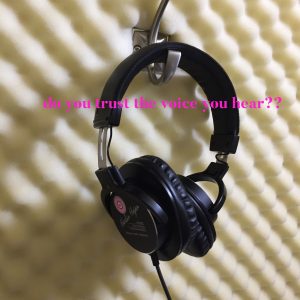
I have made lots of upgrades to the equipment over the years. Now, I record on a Neumann TLM 103, Avalon M5, and MacBook Air with Twisted Wav. I am really happy with this set up.

What Makes it Professional

The audio quality of the final produced work makes this booth a professional booth. My raw audio is pristine. I am have a very low noise floor. I do a lot of radio and a lot of live sessions. My clients never have issues with the sound.

What Makes it Custom

This booth was built around what is good for me! So if I have friends over they may not find everything the way they have it in their booth, but I love all my little details, from my shelf that holds the pre-amp and interface under my desk to my hooks for my head phones and wires that are at just the right locations. One of my favorite details is that we actually drilled right through the desk so that the music stand is dead center in front of me to place the scripts on. It is perfect.

What I Would Change

There are somethings I would change for sure! I spent a lot of money upgrading to white foam which turned yellow within the year that I bought it. I really do not like the yellow. I was at a conference last week and saw a turquoise and grey booth and I have total booth envy now! I initially wanted the white because I thought it would feel so big and open, but now it just looks awful and I’m upset about the white.

It is cold in the winter! I don’t know how I would make it warmer, but I am going to figure something out, because it gets ridiculously freezing in there!

My booth is in my basement. I didn’t want to take up space in the rest of my house, but I hate being in the basement. I feel far away from everyone. I also never want to do other work in the workspace I created adjacent to my studio because I don’t want to be in the basement.

I think at some point I would like to add built in storage. At present I have some storage cubes and a file box in the booth. In the long term, I would love something a little neater.

My other major longterm goal is to have my travel rig sound more like my main set up! I use my travel rig enough that I need to have it sound closer to my home studio. Right now there is too much of a disparity between my apogee and my Neumann.

Filed Under: Voiceover Tagged With: aurelex foam, Avalon M5, base traps, booth, equipment, momtrepreneur, Neumann TLM 103, recording, solopreneur, studio, VO, vocieover, voice over, voice over actor, working at home, working mom

How Much Are You Working?

August 5, 2019 by Laura Schreiber

“The possibilities are limited only by our imagination and determination, and not by physics.” ~ Mike Duke, PhD, NASA Geologist

THE question:

As a full-time, professional voice over actor, I get a lot of questions; but, the one I seem to get the most, is “So, how many hours would you say you work now?” Somehow saying that it’s a full time job has net been a clue. So, what I gather is that folks can’t imagine is how the work of a creative can fill an entire day, or perhaps weeks and years on end. Given the opportunity, I will happily, and enthusiastically elaborate and tell you what days are like for a working voiceover talent.

The Home Studio

Like most voice over actors, I have a professional home studio. This gives me the ability to accommodate clients in different time zones, not just in the Unites States, but abroad as well. I love getting started early, because I feel like I have gotten a lot done in a day. In truth a lot of my steady clients are on the West Coast, so I often go back down to record jobs that come in late after dinner as well.

Daily Tasks

The amount of booked work I have shapes my day. I typically record all booked work before doing anything else. If a big audition comes in, I will pause a job and record and submit that. While I record, I hydrate continually. I drink water all day long. I limit myself to one coffee a day. Once I am done recording actually bookings, my day is divided between auditions, client outreach emails, LinkIn follow ups, and general marketing tasks. I do try to do 20-40 auditions a day, and they come in from clients, Pay to Plays, and agents around the country. If a booking comes in mid-day, I stop what I am doing and record. For bigger jobs I typically have advance notice. For example, I did 20 videos on Thursday, but I new about them about 2 weeks in advance so that I could book out the day on my calendar. I do I lot of commercials and have a lot of RUSH work as well. I am always happy to do rush jobs. I understand when folks have deadlines, and I never mind getting audio right back to clients. Often when more booked work comes in, time on LinkedIn or for marketing takes a back seat. I tend to keep up with my client correspondence as that is very important to me!

Mom Life

It seems the more I get into a rhythm with my business, the less I feel in control of life at home. When my twins were small, they had all of my focus and attention. I was with them full time and I could spend all of my energy thinking about meals and school and their clothing. Now I worry a lot about their school work since they are in high school. But, our house is not as organized as it was. Our dinners are not planned. I often scramble to make lunches before taking them to the train in the morning. I am so so so thankful that the groceries can be delivered or I am not sure we would ever have any.

Another issue is that because I am a small business owner, even when I am driving my kids to sports or taking them to the doctor, I am still thinking about my work and checking for client emails. I can’t ever completely detach because there is no one else to man the fort. Since I am the business, if I disconnect, it ends. I find it challenging to find the right balance between savoring this precious time with my children, which goes entirely too fast, and catching the momentum of my business which I have worked so hard to build.
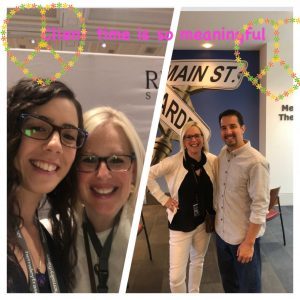
I do remind myself that my kids are learning from see me running a business at home. They see me working not just at nights but on weekends. They hear client calls. They get to hear and see my actual work. This all cushions the blow. So the house may not be perfectly tidy when the family comes for a visit. And we may have to get takeout more than we had planned. And I may often forget to go back out and put the cover on the grill.

My hope is that while friends that we meet for dinner may have natural questions about what it’s like to be a full-time working creative, my kids, the people who matter most to me in this world, will not have any questions because they see everything. I also try to talk to them about all of the issues that I grapple with and pose thought provoking questions.

So, I can tell you with certainty that a working voice talent has plenty to keep them busy! Odds are their more than 40 hour work week blows by and they have a hard time figuring out where the time has gone!

Filed Under: About Me, Voiceover, working mom Tagged With: auditions, bookings, Home Studio, Marketing, momtrepreneurs, passion, rhythm, RUSH Jobs, small business owner, solopreneur, studio, studio life, talent, VO, voice over, voice over actor, voiceover, working mom

Useful Voiceover Tips from a Working Pro

June 18, 2019 by Laura Schreiber

We All Need to Stay on Top of Our Game

As the years go on, in between conferences, a working professional voiceover talent may have a question about our tech or about our recording software from time to time. As a seasoned, full-time professional, sometimes I discuss such issues with my accountability group. Other times I will pay for a session with an audio engineer. But a lot of the time I am plugging away in my booth and I need an answer right away. Another likely scenario is that I am playing around trying to remember how to do something with my audio software that someone has told me about and go down a rabbit hole trying to figure it out. In those instances, I head to youtube and I have found some pretty fantastic videos done by industry friends to answer my questions. Here are some favorites that you might find helpful too:

Time Saver for Editing Breaths

A few years ago in one of my accountability group chats voice over goddess Shelley Avellino firrst talked about how she handled breaths on Twisted Wav. She talked about using the “Detect Silences” option and replacing it with room tone. If your noise floor is low, this is a great option. I thought it was a brilliant idea, but as I do a lot of commercial work my recordings are typically not long enough to do this. Recently, the one and only Kim Handysides suggested I record my auditions all at once, and now that I am in the habbit of doing that, Shelley’s suggestion seems perfect. The problem was that I could not recall how to do it. I turned to YouTube and found this wonderful tutorial from industry friend Christi Bowen. Here Christi explains step by step how to quickly and efficiently replace your breaths in Twisted Wave. She also addresses issues like clipping letters at ends of words, so this is a must watch for sure!

Productivity tips for Twisted Wav

I was lucky enough to meet Jack de Golia and hear him speak in person at WoVo con in Las Vegas, but if you can’t get there, this video is extremely helpful, especially if you are endeavoring to do long form narration or audio books. Jack talks about so many salient recording issues, including why we should never record in MP3 and he provides valuable tips for editing. I also learned something from Jack when I heard him speak in person. I do a lot of live sessions, and Jack said that if your computer fan goes on, you can put ice packs under it to stop your fan. He later cautioned me to make sure I did not get it wet, but I keep my laptop on a raised metal platform, so thus far it has not been an issue. Jack’s thoughtful approach in this video is wonderful.

https://www.youtube.com/watch?v=n9j31QzlraY

Trouble Shooting a Pre-amp

I have had not one, but many sessions with George Whittam, aka George the Tech Guy. I worked with him when initially building my studio. I have had emergency sessions when I’ve had snafus. I have had George build my effects stacks. I have had George build more stacks as I bought more equipment. To say I trust George is an understatement. He is a pleasure to work with and he will never leave you without a solution. This video gives you an idea of what it is like to work through a problem with George. he is calm and full of suggestions. They also happen to be working on an Avalon pre-amp, same as mine. Sometimes you just need to keep trying lots of different approaches and here you get an idea of how George tackles this issue.

Mic Technique

I’ve had a lot of coaching. A lot. For years. From the best in the business. But very little of the work that I have done has been in person, face to face. So, in our business we talk often of mic technique. You, like me, my found it helpful to watch videos about mic technique to learn how other industry professionals perform. I find Gabi’s videos to be both entertaining and insightful and her tips are always on-point. This is extremely specific! I have tried to switch mics and this also often involves adjusting my setup. Gabi looks like she is using the same mic as me now, the Neumann TLM 103, and I can tell you that it is powerful and sensitive so positioning matters a lot.

Conclusions

At the end of the day, we can take what we need from these videos and use them how they apply. I find it a comfort to know that there are so many valuable resources at our fingertips.

Filed Under: Voiceover Tagged With: audio software, booth, Breaths, editing, George the Tech Guy, George Whittam, Mic Techniques, recording, studio, technology, tips, tricks, twisted Wave, VO, voice over, voice over actor, voiceover

5 Ways to be a Good Client

May 26, 2019 by Laura Schreiber

https://youtu.be/Nn1e_aBwzTE

It’s a Two Way Street

With an eLearning client at DevLearn last fall and visiting a client in Orlando last Spring:)

As a full time, professional voice over actor, I can go on and on about how wonderful most of my clients are. Over my years in the voiceover industry, I have worked really hard to build and maintain relationships with my clients. With every new job that I book, I am not just looking to meet my monthly financial goals, and I am looking to do my very best work for that new client so that they come back again and again. I try to get to know them. I want to know, in addition to pristine audio, what their unique needs are. I love to learn about the specifics of their business. When I also learn personal details about pets and hobbies, well that is even better. The better I connect with I client, the better I can serve their specific needs.

Likewise, I try hard to be easy to work with:) In addition to being responsive and doing the job I am hired to do, I am upbeat and bend over backwards. What do I expect in return? Well…. You would think it would not be so complicated. I am hired to record audio. I record and deliver the audio as per the specs… The best ways I have learned over the years to be a good voiceover client to the folks I work with, whether they are video production teams, talent agents or their clients, ad agencies, marketing executives, include:

1. Confirm the Terms

I am always happy to be cast in every job, so when the initial booking email comes, I immediately follow up with a “Seal the Deal” Letter. Some of my voiceover friends, like Carin Glifrey, call this their “Welcome Letter.” Mine literally begins with the word “Yay” to express both my joy and grattitude. Years ago in a helpful and thorough session with J. Michael Collins he detailed the importance of confirming all of the terms of work upfront. This email has many important components. It:

  • confirms the actual booking
  • confirms the fee
  • confirms the turnaround time on my end
  • asks the client what they need in the finished audio (i.e. WAV or MP3, raw or sweetened)
  • confirmed my policy on revisions and my charge for pickups

I want to serve my clients well, and I think that in order to do so I need to be very clear upfront.

2. Deliver the Audio Exactly as Stated

Next, I take great joy in actually recording the voiceovers that I am hired for. I pay close attention to the specs and the requests of my clients. About 80% of my bookings are commercials, which means I am providing them with multiple versions of the recordings. When I do long form narration or eLearning, I am meticulous with my editing so that I save both of us time moving forward. I take a lot of pride in the audio that I send out, and I know that to be a good client I need to deliver outstanding quality every single time.

3. Be Available for Pickups

To keep my clients happy, I make myself very available for pickups. For my bookings over $250, I include one round of revisions in my quote. For jobs lower than that, I charge $75 per 30 minute session. As I am in my booth full time, and I understand that my clients are on a deadline, I make myself available for these revisions so that my clients have what they need as soon as they need them! Often they have a quick line change or just need one more take, and it is never an issue. I just want my clients to have what they need as soon as possible.

4. Hold them to the Initial Terms

In a business where we often bend over backwards to be a good client and to make our clients happy, we have to remember that it is actually ok to hold them to the terms they initially agreed to. So, if in the “Seal the Deal” email we offer one round of revisions, we should not hesitate to charge for the next round that they ask for. Hugh Edwards just posted a really important article about VO rates and our overhead costs that can be found at

We must continue to maintain our industry standards and hold our clients to the same standards they hold us to. Just as we have to provide them with the audio they need, they must pay for it, and we should not bat an eye at adding to our invoice and sending the update.

5. Follow Through

Ideally, follow through on a great job means sending a thank you note and thanking your client for the opportunity. And when you are lucky and the voiceover gods are smiling down on you, that is the end of it and payment comes anywhere in the 30-90 day window. Sometimes, though, follow through means having to more aggressively pursue payment even when you have bent over backwards to provide outstanding quality and service. How do I go about this? I have a multi-pronged approach:

  • The thank you note is actual a great reminder of the work that you did.
  • At 30 days and at 60 days my billing software sends an automatic reminder.
  • After 60 days, I send a more direct “friendly reminder” and ask them how everything is going.
  • If I still have not received payment, I cc my husband aka manager who is an attorney at an NYC law firm and he sends a follow up note as my representative. In 5 years this has happened less than 10 times, but every time he has collected in full immediately. Sometimes he has to contact the clients council. Sometimes he has to speak with a CEO. But he always gets paid.

It should not come to that. On the two way street, if we provide the audio, we should be paid, regardless of whether or not it ultimately makes its way to where it is supposed to, that is not part of our deal. We record. We deliver. We are an absolute delight to work with. That makes a voiceover talent a good client. The rest is up to our client to do right by us, and most of the time they do:)

Filed Under: About Me, Client Relationships Tagged With: audio, Carin Gilfrey, client relationships, commercials, elearning, Gravy for the Brain, guarantees, Hugh Edwards, industry standards, J. Michael Collins, long from narration, payment reminders, pickup policy, professional voiceover, rates, recording, revisions, studio, VO, vocieover, voice over

  • « Go to Previous Page
  • Page 1
  • Page 2
  • Page 3
  • Go to Next Page »

Primary Sidebar

Laura Schreiber Voiceovers Recent Post

Recent Posts

  • Fiction Audiobook Narrator Award: Readers Favorite: We Won!!
  • Scheduling Tips to Book Like a Pro
  • I Practice What I Preach
  • Why You Need a Home Studio When You Start with a Coach
  • Crochet as Metaphor for Making it In Voice Over
Laura Schreiber Voiceovers Categories

Categories

  • This field is for validation purposes and should be left unchanged.
  • Laura answers every correspondence with a smile and a prompt reply. In addition to RUSH jobs and quick turnarounds, guided sessions are available and Laura works hard to make every project perfect. Do not hesitate to call or email anytime :) The one exception to this is erotica. Should you need someone for adult content, all the best to you, Laura is not your gal, do not reach out.

Laura Schreiber Female Voice Over Talent Contact Image

973.747.6800

laura@volaura.com

SKYPE: lauraschreiber324

ipDTL: Laura Schreiber Voice

Laura Schreiber Female Voice Over Talent Sourceconnect

LAURA IS REPRESENTED REGIONALLY IN THE UNITED STATES AND ABROAD.

MORE AT: lauranarrates.com

©2026 Laura Schreiber Voice. All rights reserved. PRIVACY POLICY.

Voice Over Site by Voice Actor Websites  // Site design by notobelladesigns.com.